
Updated November 3, 2026: added the November 2 update, which lets the Explorer Gadget run while you're actively playing.
- Game
- Pokémon GO (iOS, Android)
- Feature
- Explorer Gadget (key item)
- Announced
- August 13, 2026 (phased rollout); updated November 2, 2026
- Requirement
- Trainer level 20 or higher, no accessory device active
- Daily limit
- Based on Trainer level (official); equal to your level, per player reports
- Source
- Pokémon GO news posts and the Pokémon GO Help Center; limit numbers player-reported via Pokémon GO Hub
What the Explorer Gadget really replaces is the accessory. Letting Pokémon GO catch for you used to mean pairing a device such as the Pokémon GO Plus +; now a level 20 account gets the same basic job done from the Item Bag, at no cost.
What is the Explorer Gadget in Pokémon GO?
It's a built-in feature that "attempts to catch Pokémon by automatically throwing Poké Balls and spinning PokéStops while you explore the real world with Pokémon GO not actively open on your device," as the Pokémon GO team's launch post puts it. You turn it on, lock your phone and keep walking; the gadget does the throwing in the background.
A few rules shape what it catches. Only regular Poké Balls get thrown, never Great Balls or Ultra Balls. Pokémon you haven't registered in your Pokédex are skipped, and so are mighty Pokémon, so it won't fill new entries for you. One useful exception comes from the Pokémon GO Help Center: if you've caught one form of a Pokémon, it will go after its other forms, so a Pom-Pom Style Oricorio on your record means it will also try for Baile, Sensu and Pa'u Style.
You have to actually move with your phone on you. According to the launch post it runs "while you move at a casual pace," and the Help Center says you "must still explore the world while carrying your device for the Explorer Gadget to operate fully."
How do you get and use the Explorer Gadget?
Reach Trainer level 20, then tap the Explorer Gadget icon at the top right of the map view, or open it from the Key Items section of your Item Bag, and tap Use. There's nothing to buy. Tap the icon again to pause or resume it.
If you run out of Poké Balls when you switch it on, the Help Center says the game hands you some to get started. When you next open the app you get a summary of what it caught, how many Pokémon and how many PokéStops it spun, sorted from newest to oldest.
Three things stop it: when it hits the daily limit, when your Pokémon Storage is full (no more catches) or when your Item Bag is full (no more spins). Both full-storage cases show an alert on the map.
Can you use the Explorer Gadget while playing?
Yes, since the November 2 update. Before it, the gadget only worked with the app closed or in the background. Now it also helps while you have the game open: a pink Poké Ball icon appears over each Pokémon or PokéStop it's about to catch or spin.
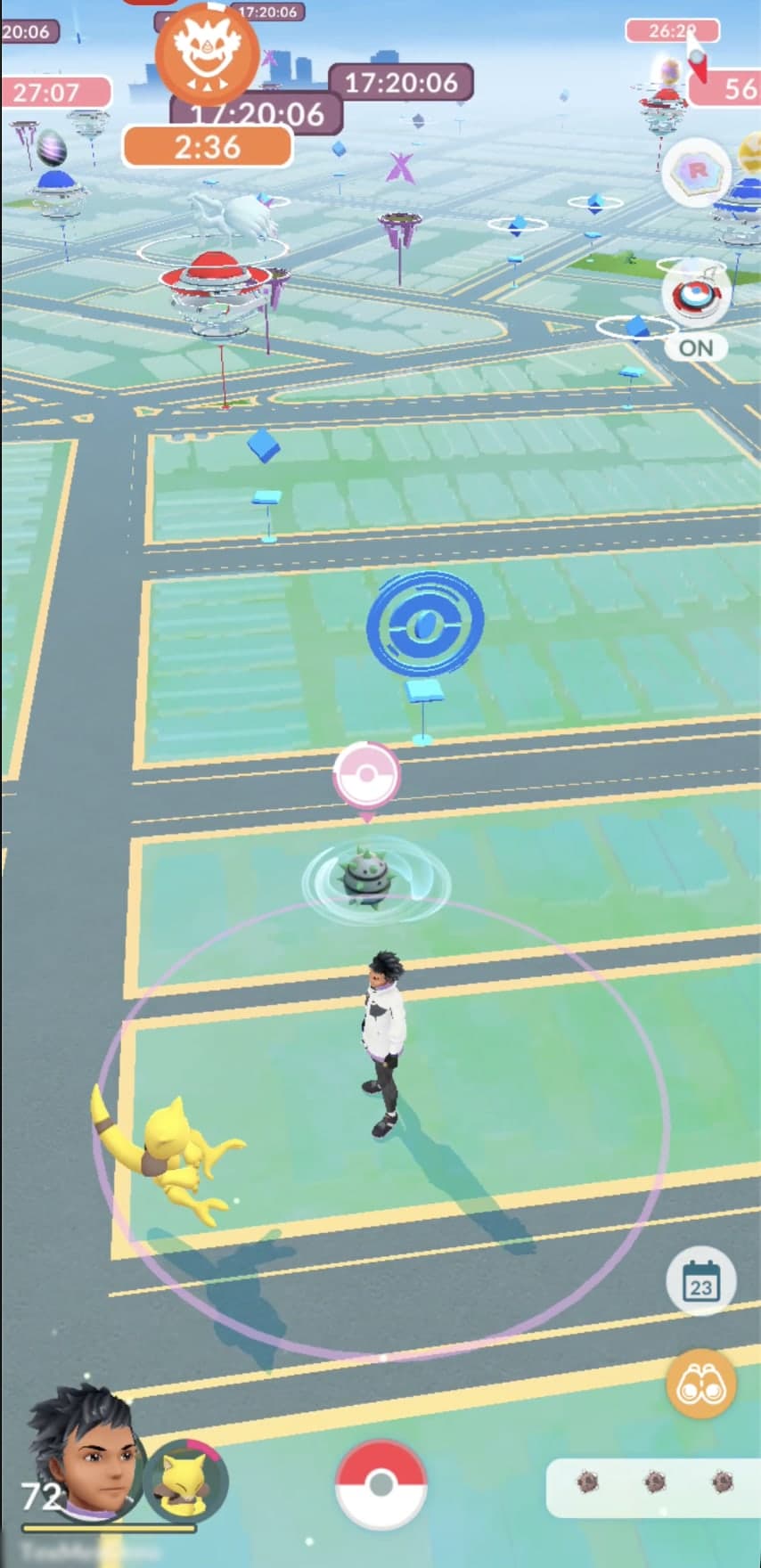
You can take over by tapping that Pokémon or PokéStop yourself, which matters when it's about to throw a plain Poké Ball at something you'd rather catch with a better ball and a berry. The window is short: the post says that once the pink icon appears "you have a limited window of time to override the Explorer Gadget."
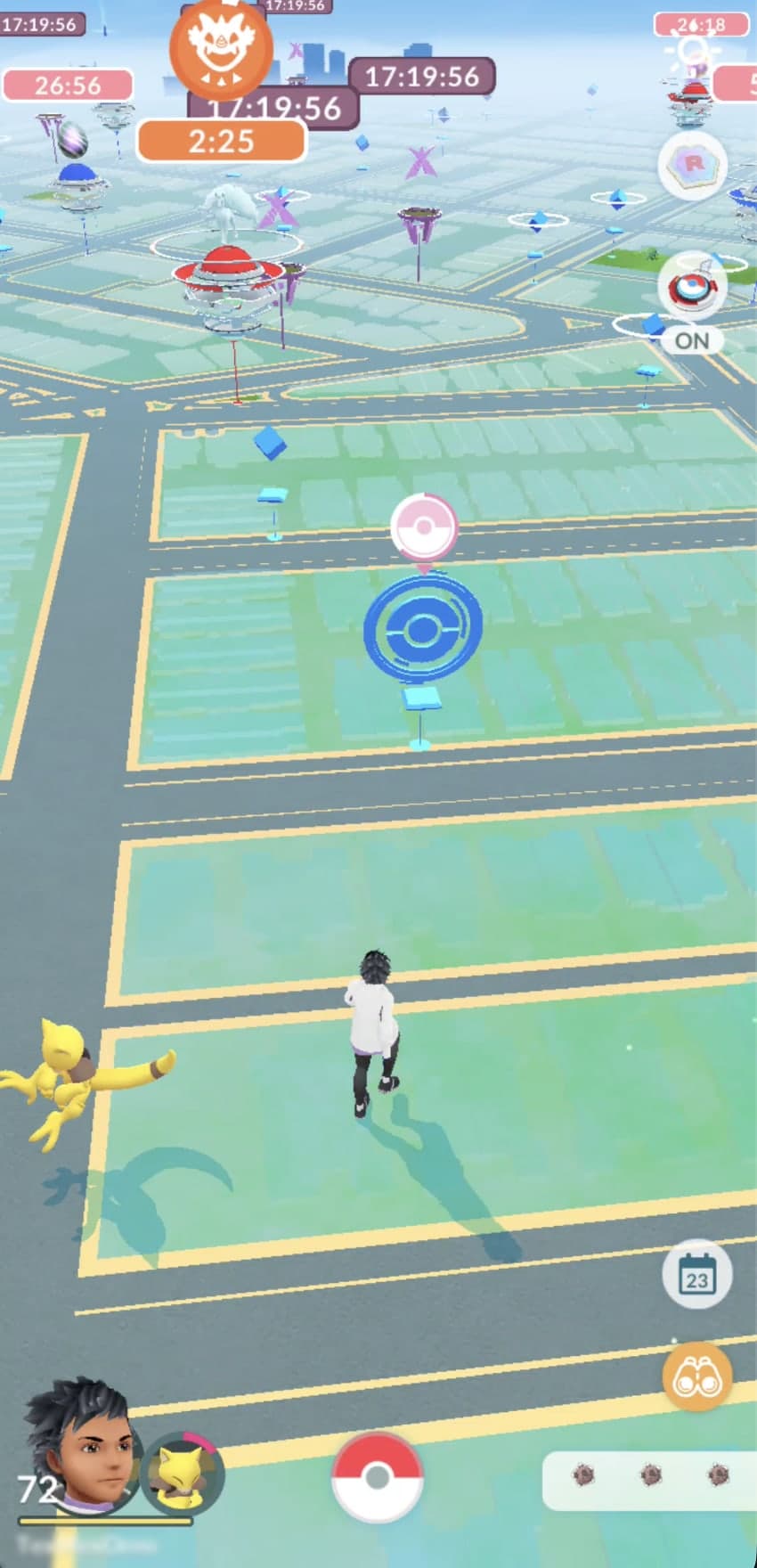
Here's the official 44-second clip from the Pokémon GO channel showing the new in-game behaviour.
That post also rounds up smaller changes that have already rolled out, including a clearer catch summary, a dedicated Appraise button on a Pokémon's summary page, and an end to the special wild encounters that used to spawn around Power Spots.
What is the Explorer Gadget daily limit?
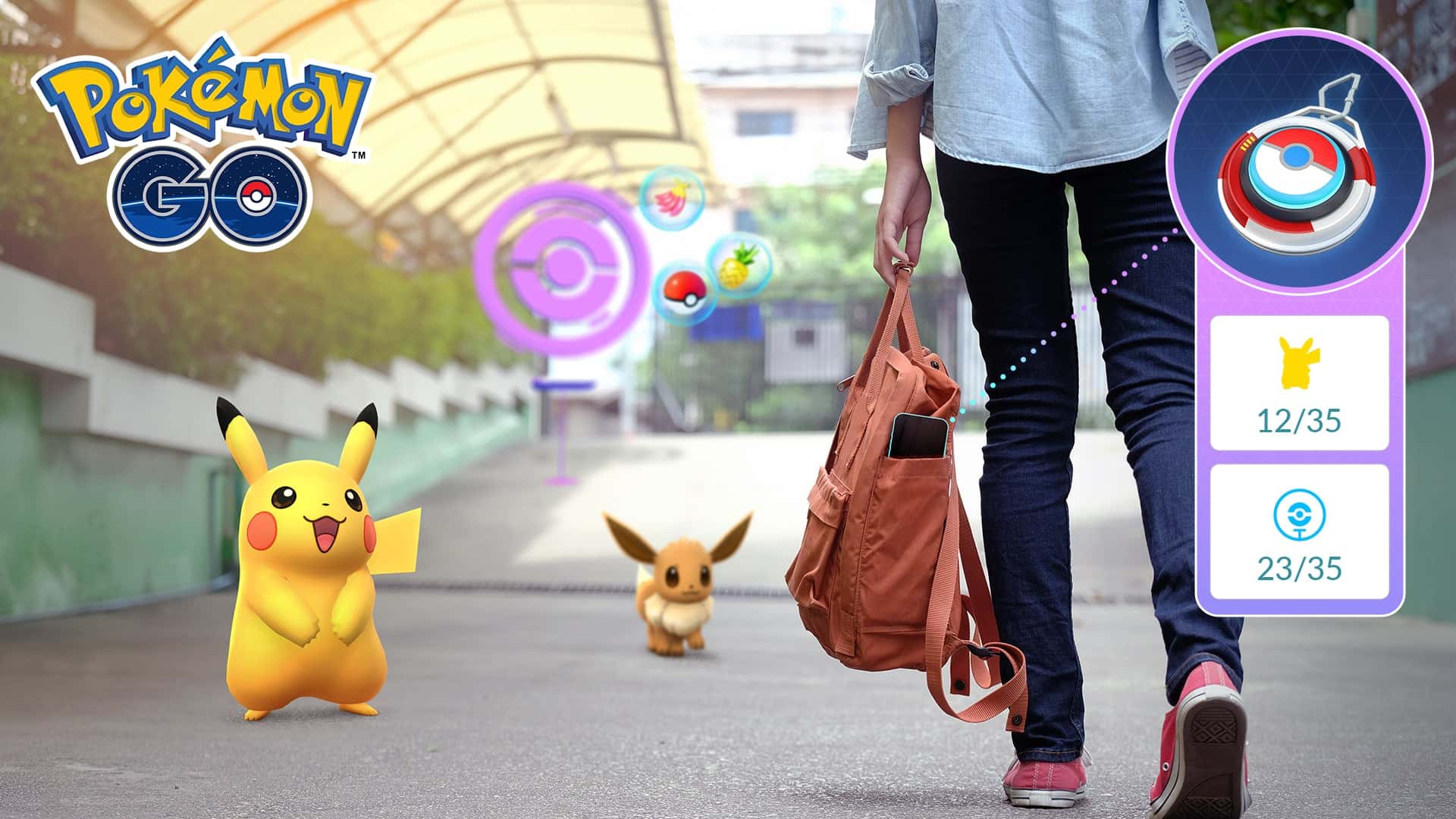
Officially, the limit is "based on your Trainer level," and the Pokémon GO team hasn't published the numbers. Players have filled the gap: Pokémon GO Hub reported in August that the catch and spin caps matched Trainer level, with a level 57 account getting 57 catches and 57 spins. Some high-level players, the same report notes, saw lower caps of 30 to 35, which suggests different settings were being tested on different accounts. In the launch post's promotional art, both counters show a cap of 35.
Treat "your level, for each" as the common case, not a guarantee, until the Help Center gives a figure.
Why don't I have the Explorer Gadget?
Most likely, the rollout hasn't reached you. The launch post on August 13 said the gadget was "entering a phased rollout" and that more would follow "about when these features will be available globally," and the Help Center still describes it as a phased rollout. Pokémon GO Hub found access uneven even within one household.
If you should have it, check the Help Center's three requirements: you're level 20 or higher, no accessory device is actively connected, and you haven't used up the day's limit.
Can you use the Explorer Gadget with a Pokémon GO Plus +?
Not at the same time. You don't have to unpair a Pokémon GO Plus + or other accessory, but the gadget and a paired accessory can't both be active, per both Pokémon GO posts. According to the Help Center, the map icon disappears while an accessory is paired; you can still start the gadget from Key Items in the Item Bag once the accessory is disconnected. The map view shows which of the two is currently running.
What we don't know yet
- The official daily limit numbers. The Pokémon GO team only says they depend on Trainer level.
- When the Explorer Gadget reaches every account. No date for a global release has been given.
Questions and answers
What level do you need for the Explorer Gadget?
Trainer level 20, per the Pokémon GO Help Center. It also won't start while an accessory such as a Pokémon GO Plus + is active.
Does the Explorer Gadget cost money?
No. It's a built-in key item in the Item Bag, and the game even gives you some Poké Balls if you start it with none.
Does the Explorer Gadget use Great Balls or Ultra Balls?
No. It only throws regular Poké Balls. Since the November 2 update you can tap a Pokémon it's targeting to catch it yourself with a better ball.
How many Pokémon can the Explorer Gadget catch per day?
The limit depends on your Trainer level. Players report it matches your level for both catches and spins, though some saw lower caps of 30 to 35.
Does the Explorer Gadget catch new Pokémon?
No. It skips Pokémon that aren't registered in your Pokédex, and it skips mighty Pokémon. Other forms of a Pokémon you've already caught are fair game.


